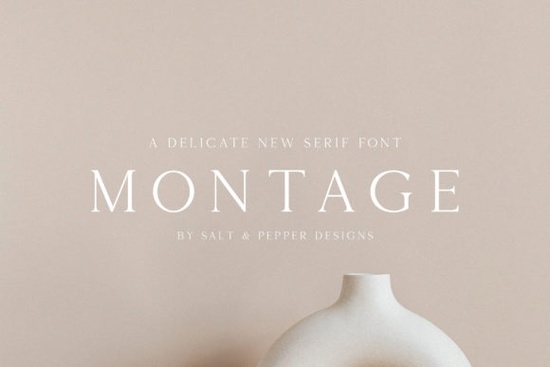
Choosing the right typeface often determines whether a project feels professional or amateur. A single font carries weight in how customers perceive a brand, especially when you are working on visual-heavy materials like packaging or invitations. For those seeking an elegant finish without overwhelming the eye, the Montage Font offers a distinct solution. Its thin, authentic strokes bring a refined touch that works well across various media.
This specific typeface fits neatly into the broader family of classic serifs. Designers often look for something that balances legibility with personality. Standard block letters can sometimes appear too rigid for luxury goods or artistic projects. Montage fills that gap by providing delicate lines that still maintain structure. Whether you are designing a wedding suite or a boutique logo, having a tool that communicates sophistication is essential.
What kind of projects benefit from this typeface?
The primary strength of this design lies in its application for high-end or aesthetic-focused outputs. Because the lettering is thin, it requires enough negative space to breathe. Crowded headlines might cause the details to disappear when printed at very small sizes. Therefore, it shines brightest when used for titles, headers, or accents rather than body text paragraphs.
Crafters selling handmade goods frequently use it for product labels. Imagine a coffee bag or a jewelry box; adding these script-like serifs creates an immediate impression of quality. Print-on-demand sellers also find success using it for t-shirt graphics where a cleaner, upscale look separates their products from mass-market generic templates.
Are there alternatives for different moods?
Sometimes a project needs something different than what Montage provides. While this option leans toward luxury and grace, other scenarios call for a rougher or warmer texture. If you are aiming for a nostalgic vibe, you might find better alignment with vintage typewriter aesthetics. Those styles capture a sense of history that modern elegance does not always achieve.
Conversely, if you want a darker or more atmospheric look, soft serif collections often exist to help. Exploring styles with softer evening tones can provide a moody contrast without losing readability. These variations allow you to adjust the emotional temperature of your graphic design while staying within the same structural genre.
How does legibility hold up on screen?
Web design requires fonts to render clearly on screens of all resolutions. Thin serifs can sometimes fade away on low-resolution displays or dark backgrounds. It is wise to preview your files in grayscale before finalizing them. Test the text against different background colors to ensure the contrast ratio remains sufficient for accessibility standards.
If the thin lines prove too difficult to read in your layout, consider pairing this font with a bolder sans-serif for instructions or captions. This combination allows you to keep the primary message stylish while ensuring secondary information is easily understood. Many successful brands use this layering technique to guide the viewer's eye effectively.
Does this work alongside other similar styles?
Typography rarely works alone in isolation. Most layouts rely on a system where one font handles the emotion and another handles the function. You can mix this script with geometric sans-serifs to ground the composition. Sometimes, designers explore options like Desevon when they need a sturdier counterpart that shares a similar classical DNA.
If you are browsing through entire categories to build a cohesive library, checking out other elegant serifs in the collection helps keep the visual language consistent. Finding a group of fonts that share weights and proportions saves time during the asset selection phase. Consistency in thickness and stroke width prevents the final design from feeling disjointed.
Practical steps before purchasing
Before integrating this asset into a client package, there are practical checks you should run. File compatibility matters for software versioning. Most vector editing tools require OpenType or TrueType files, so verify which format comes in the download package. Additionally, review the licensing terms to confirm your intended use case, such as merchandise creation or web embedding.
To ensure the best results, try running a sample headline through a printer test. Digital proofs often look sharper than physical prints due to pixel density. Adjusting kerning manually might be necessary after printing to fix uneven spacing that looked fine on your monitor.
- Check the file extension matches your software requirements.
- Print a test sheet to evaluate line thickness at actual size.
- Review the commercial license for restrictions on resale items.
- Pair with a contrasting font for body copy to ensure clarity.
- Save versions in multiple formats (OTF, TTF, SVG) for flexibility.
Using the right tools simplifies the workflow significantly. With the correct settings and a solid understanding of when to apply thin lettering, the final output will reflect the quality of your intent.
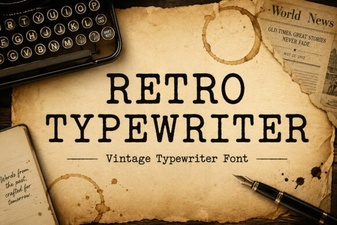 Craft Vintage Style with Retro Typewriter Fonts
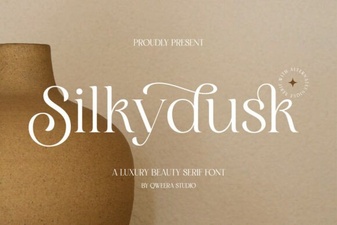 Silkydusk Font: Elegant Typography for Designers
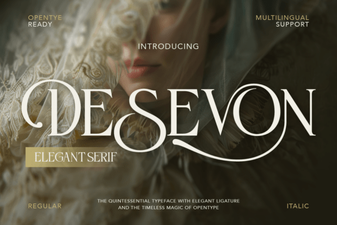 The Desevon Font: Modern Design for Your Creative Projects
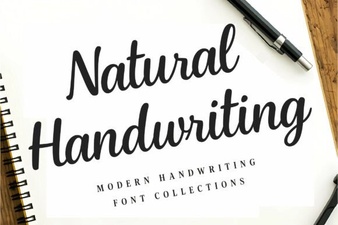 Unique Handwriting Fonts for Creative Projects
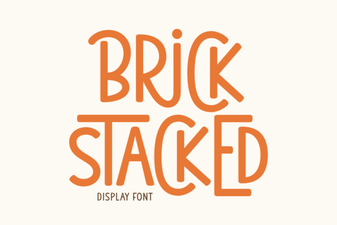 Stacked Brick Fonts for Bold, Modern Design Projects
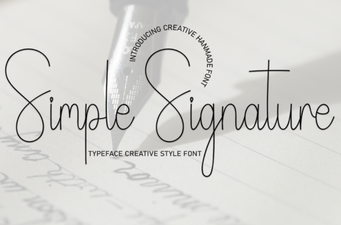 Simple Signature Fonts: Elegant Styles for Creative Projects